
For many online retailers, a Magento store fades into the background. As long as orders keep coming in, it rarely gets much attention.
That approach becomes increasingly risky in 2026.
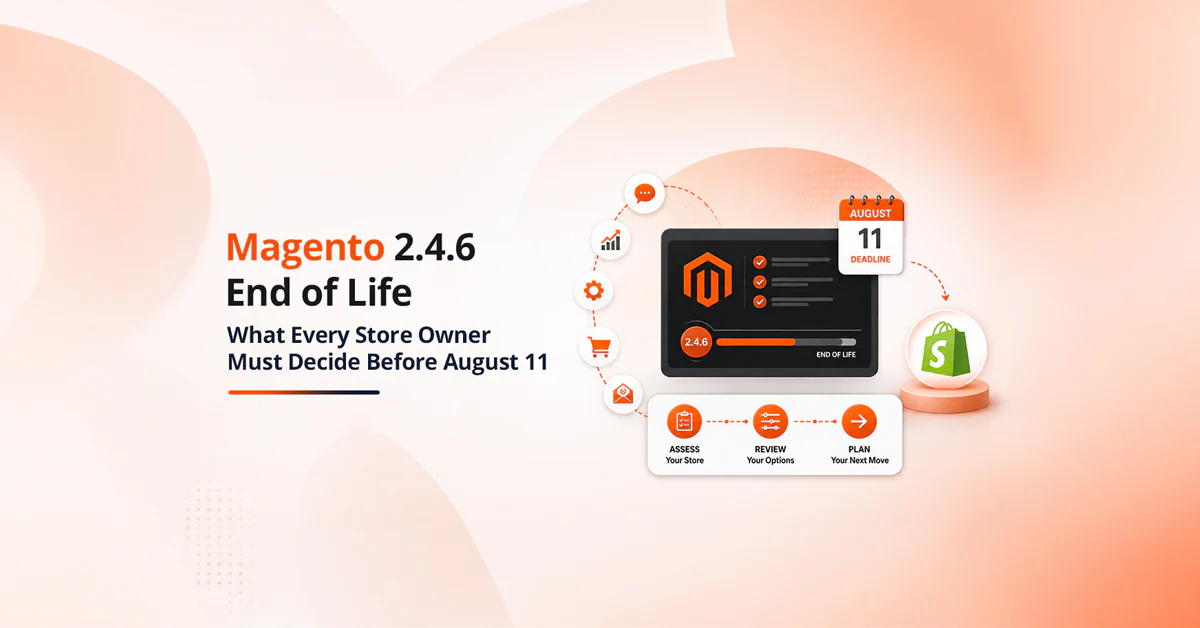
Adobe’s current lifecycle schedule states that standard support for Adobe Commerce 2.4.6 ends on 11 August 2026. Adobe Commerce customers also receive one year of additional support at no extra cost, including quality and security patches.Magento Open Source merchants do not receive the same extended security patches. Older branches are under even greater pressure: extended support for Adobe Commerce 2.4.5 ends in August 2026.
Meanwhile, Magento 2.4.9 was released in May 2026, giving merchants a newer, longer-supported destination. The question is no longer whether aging stores will require attention. It is whether businesses will modernise them on a controlled schedule or wait until security, compatibility or performance problems force the decision.
Why the August Deadline Matters
The end of standard support does not make a store stop working overnight. Product pages will still open, scheduled tasks will continue to run and customers may not notice any immediate difference.
The risk grows quietly.
An aging Magento installation can become harder to protect as platform components and third-party dependencies move through their own lifecycles. PHP, databases, search engines, message queues and extensions do not all follow Magento’s release timetable. A store may therefore run on a nominally supported Commerce version while relying on an outdated element elsewhere in the stack.
Merchants can also face:
- Fewer compatible updates from extension vendors;
- More complex security patching;
- Rising maintenance costs for custom modules;
- Problems integrating current payment and shipping services;
- Reduced access to platform improvements;
- Greater difficulty meeting PCI DSS and internal security requirements;
- Longer and less predictable future upgrades.
Adobe recommends staying on supported software and keeping the surrounding technology stack current. Its lifecycle policy warns that remaining on an unsupported version increases security and compliance risk, while extended support is still subject to limitations and does not eliminate issues caused by unsupported third-party components.
Adobe Commerce and Magento Open Source Face Different Timelines
Adobe Commerce and Magento Open Source follow different timelines, so the edition matters when planning an upgrade.
Adobe Commerce 2.4.6 customers have an extended-support period after standard support ends, followed by a later security-only transitional period. These extra windows should be treated as migration time, not as a reason to freeze the platform. Magento Open Source merchants have less room for delay. Adobe states that extended-support security patches are available to Adobe Commerce customers only. Businesses using the Open Source edition therefore need to assess their exposure before the standard-support deadline rather than assuming the same safety net applies to every Magento installation.
Store owners should confirm four details immediately:
- The exact Magento or Adobe Commerce version currently in production;
- Whether the business uses the Open Source or paid Commerce edition;
- The support status of PHP, OpenSearch, MariaDB, Redis, RabbitMQ and other dependencies;
- Whether critical extensions support the proposed target version.
A version number alone does not provide a complete view of platform risk.
An Upgrade Is More Than a Composer Command
A simple Magento installation with few extensions may be relatively straightforward to update. A mature ecommerce operation is different.
Years of development often leave a store with custom checkout logic, pricing rules, marketplace extensions, ERP connections, bespoke themes and workarounds introduced to meet urgent commercial requirements. Some of that code may no longer be documented. Some may duplicate features that are now available natively.
This is why an upgrade should begin with discovery rather than deployment.
The technical team needs to identify:
- Custom and third-party modules;
- Theme overrides and frontend dependencies;
- Payment, tax, fulfilment and marketplace integrations;
- Cron jobs, queues and indexing processes;
- Database customisations;
- API consumers and data feeds;
- Unsupported packages;
- Performance bottlenecks;
- Security patches applied outside the normal release process.
The audit frequently reveals that moving every old component into the new environment would preserve unnecessary technical debt. Retiring or replacing obsolete functionality can reduce both the upgrade cost and the store’s future maintenance burden.
When a Full Migration Makes More Sense
Not every business is moving between two recent Magento versions. Some retailers still operate Magento 1 installations, heavily modified early Magento 2 builds or another ecommerce platform that can no longer support their catalogue and integration requirements.
In these situations, the project becomes a migration rather than a routine update.
For retailers planning a structured magento migration, the scope should cover much more than transferring products and customer records. Custom functionality, themes, extensions, redirects, order history and external integrations all need to be mapped, rebuilt or replaced. Incremental data transfer may also be required so that orders placed during development are included before launch.
A migration is also an opportunity to question old decisions. Instead of recreating every feature exactly as it exists, merchants can simplify navigation, remove unused extensions, rebuild slow integrations and improve the mobile buying journey.
The goal should not be an identical store on a newer platform. It should be a more maintainable store that supports the business’s next stage of growth.
Protecting Organic Traffic During the Move
SEO problems are rarely caused by Magento itself. They are usually caused by details being missed during implementation.
A successful upgrade should retain the existing URL structure wherever practical. If URLs must change, every important legacy address needs a relevant 301 redirect. The migration team should also preserve or validate:
- Page titles and meta descriptions;
- Canonical tags;
- Product and category copy;
- Structured data;
- XML sitemaps;
- Robots directives;
- Pagination and layered-navigation rules;
- Hreflang tags for international stores;
- Image URLs and alternative text;
- Internal links;
- Analytics and conversion tracking.
Before launch, the current site should be crawled and its indexable pages recorded. The same crawl should be repeated in staging and after deployment. This makes missing pages, redirect chains, accidental noindex tags and broken canonicals easier to catch before they affect visibility.
Performance also belongs in the SEO plan. A newer Magento version will not automatically produce excellent Core Web Vitals if the theme remains heavy, third-party scripts block rendering or product images are poorly optimised.
The Storefront Deserves Separate Attention
A backend upgrade can be technically successful while leaving customers with the same slow or confusing experience.
Retailers should use the project to evaluate the storefront independently. The existing theme may contain years of overrides, outdated JavaScript and extensions that load assets on pages where they are not needed. Carrying all of this code into a new environment can limit the performance gains of the upgrade.
A storefront review should examine:
- Mobile navigation and product discovery;
- Search relevance and autocomplete;
- Category filtering;
- Product media and content;
- Cart and checkout friction;
- Accessibility;
- JavaScript execution;
- Third-party tags;
- Core Web Vitals;
- Guest and registered-customer journeys.
The result may be a targeted theme clean-up, a rebuild using a more performance-focused frontend or a phased approach in which the platform and customer experience are improved separately.
The right choice depends on commercial priorities, available budget and the condition of the existing codebase.
How to Upgrade Without Disrupting Sales
Production should never be the first environment in which a Magento upgrade is properly tested.
Adobe recommends completing upgrade work in local and integration environments, moving it to staging and resolving issues before deployment to production. A backup should also be created before launch.
For a busy store, the process normally includes:
- Auditing the existing application and infrastructure;
- Selecting the target Magento version;
- Creating a development and staging environment;
- Updating or replacing incompatible extensions;
- Refactoring custom modules;
- Testing data and integrations;
- Running functional, security and performance checks;
- Rehearsing the deployment;
- Completing final data synchronisation;
- Monitoring orders, payments, queues and logs after launch.
Testing should reflect real commercial behaviour. It is not enough to confirm that the home page loads.
Teams need to test guest and customer checkout, discount codes, refunds, tax calculations, stock updates, transactional emails, account creation, search, indexing and integrations with payment, warehouse and customer-management systems. High-volume retailers should also perform load testing before a major sales period.
Why Waiting Until Autumn Is Risky
The August 2026 support milestone falls uncomfortably close to the period when many UK retailers begin final preparations for Black Friday and Christmas.
Starting an upgrade late can force teams to choose between two poor options: deploy a major technical change close to peak season or postpone it while the store remains on an aging stack.
A better approach is to assess the platform now, define the realistic scope and reserve enough time for testing. Large Magento projects often involve dependencies outside the ecommerce team, including finance, logistics, marketing and customer service. Their availability needs to be included in the schedule.
The earlier the audit begins, the more choices the business retains.
A Modern Magento Store Is Easier to Change
Security is the immediate reason to take platform lifecycles seriously, but it is not the only benefit.
A cleaner and properly supported Magento environment makes future improvements easier to deliver. Developers spend less time working around outdated packages. Extensions are easier to evaluate. Integrations become more predictable, and performance work produces clearer results.
It also gives the business a stronger foundation for current ecommerce priorities, including AI-assisted product discovery, personalisation, composable services and more flexible storefront experiences.
None of these capabilities creates value if the underlying store is fragile. Modernisation begins with removing avoidable risk and making the platform easier to understand, test and change.
Final Thoughts
Magento remains a strong option for retailers that need complex catalogues, advanced pricing, multiple storefronts and deep integrations. Its flexibility, however, comes with a responsibility to manage the platform actively.
The August 2026 support changes provide a useful deadline. Merchants should identify their current version, check which support policy applies, audit the entire technology stack and decide whether they need a focused upgrade or a broader migration.
The businesses that act early can choose the right architecture, test carefully and launch on their own terms. Those that wait may find the same work being dictated by a vulnerability, a failed integration or the pressure of the next peak trading season.
The version number is only the warning sign. The real objective is a secure, faster and more maintainable ecommerce operation.
Author: Magento agency UK Perspective
