
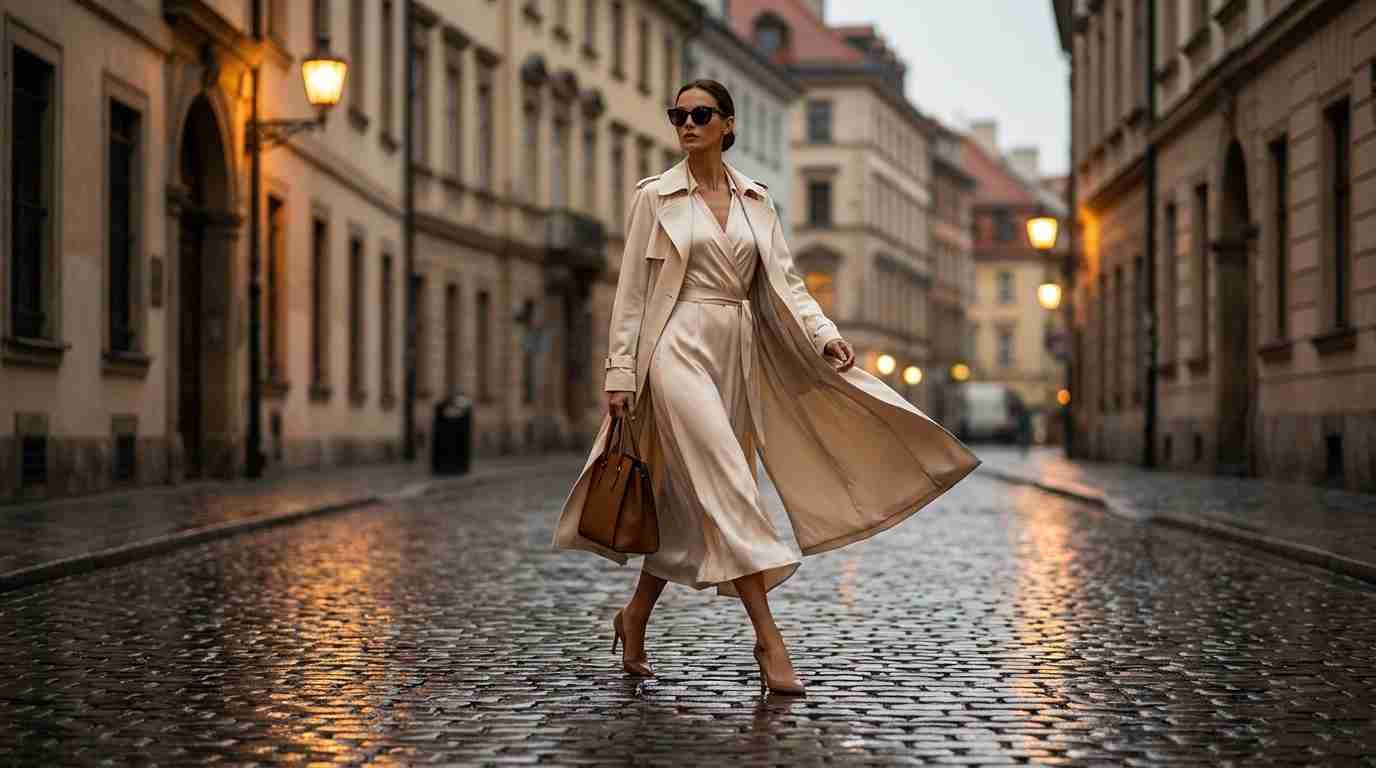
When it comes to keeping up with the content velocity that modern fashion marketing demands, traditional production models have become structurally incompatible with the speed brands need to move. I’ve worked with fashion and apparel brands that know exactly what aesthetic they want, have a strong brand identity, and understand their audience but are perpetually behind on content because coordinating a shoot, booking models, renting a studio, and running post-production takes weeks and produces a small set of assets that are outdated by the time they publish. Meanwhile, their competitors are publishing fresh campaign content daily, testing new visual concepts weekly, and iterating their aesthetic in real time based on platform performance data. That gap is what the Higgsfield AI Video Generator workflow on Higgsfield is specifically positioned to close.
Fashion is one of the highest-impact verticals for AI video production because the category is so visually driven and so velocity-dependent. According to research from Fashion Week Online, by 2026 modern customers demand endless streams of short-form video outfit collections, styling hints, runway-style unveilings, and behind-the-scenes content all optimized for platforms that reward speed and volume. Traditional production simply can’t match that demand curve. AI video generation through theHiggsfield ai video generator doesn’t replace the brand strategy in Higgsfield or creative direction behind great fashion content it removes the production bottleneck that prevents those strategies from being executed at the speed the market requires.
This guide walks through exactly how to build fashion campaign videos using the Higgsfield platform from reference asset preparation through the specific prompt techniques that produce the editorial, cinematic quality that fashion audiences expect.
Why Fashion Video Has Specific Production Requirements
Before getting into the Higgsfield workflow, it’s worth being clear about what makes fashion video production specifically demanding compared to general commercial video. Fashion video isn’t just about showing a product it’s about communicating desire, identity, and aspiration through visual language. The difference between a product video that feels like a fashion campaign and one that feels like a product demonstration is entirely in how the visual language signals those aspirational values.
From my experience producing fashion-adjacent visual content, the specific variables that determine whether fashion video feels editorial and expensive or generic and functional are: model-to-camera relationship, lighting quality and direction, motion feel (whether the movement reads as intentional and art-directed or accidental and functional), environment context (whether the setting amplifies or competes with the garment), and pacing (how the edit feels rhythmically against the visual content).
The ai video generator gives creators in Higgsfield explicit control over the visual parameters that determine editorial quality camera movement, lighting specification, motion style, depth of field which is what makes it appropriate for fashion campaign production rather than just generic content generation.
Step 1 Building Your Fashion Reference Asset Library
The single most important pre-production step for fashion campaign video on Higgsfield is building a strong reference asset library. Fashion video generation is reference-dependent: the quality of your input images determines the quality ceiling of your output.
For fashion specifically, your reference assets should include:
Hero garment images: Clean, high-resolution images of the garments you’re featuring ideally on a white or neutral background with even lighting that shows fabric texture, drape, and construction clearly. The ai video generator uses these as the visual anchor in Higgsfield for garment appearance throughout the video.
Lifestyle and environment references: Images that represent the visual environment, mood, and setting you want for the campaign. A streetwear campaign has different environmental references than a luxury eveningwear campaign. Collect 5–10 images that define the aesthetic world you’re building.
Model reference images: If you’re using Soul ID for character consistency across campaign clips, collect clean, front-facing, well-lit model reference images. For fashion specifically, include three-quarter and full-body shots alongside face references fashion video is as much about body movement and silhouette as facial identity.
My team noticed that campaigns where we invested time in building a strong reference library before generation produced significantly more cohesive, on-brand outputs than campaigns where we started generating from text descriptions alone. The reference quality floor is the output quality floor.
Step 2 Setting Up Soul ID for Campaign Character Consistency
Fashion campaigns live or die on visual consistency. A campaign that shows different faces in different clips even beautiful faces reads as a collection rather than a campaign. The Higgsfield Soul ID feature is what makes character consistency across multiple campaign clips executable rather than aspirational.
Before generating your first fashion clip, establish your Soul ID references:
Upload your model reference images and create a Soul ID profile. Assign a character identifier that you’ll use in every prompt throughout the campaign. Test the Soul ID with a quick generation before committing to a full production run verify that the character identity is being maintained at the standard the campaign requires.
For fashion campaigns specifically, I found that Soul ID performs best when the reference images show the model in the garment category you’re shooting if the campaign features structured tailoring, reference images in tailored garments produce better style-congruent outputs than reference images in casual clothing. The model’s relationship to the garment type in the reference influences how the ai video generator renders the character in Higgsfield according to campaign contexts.
Step 3 Prompt Architecture for Fashion Campaign Videos
Fashion video prompts require a different structure than general commercial video prompts. The visual language of fashion has specific conventions how models move, how garments are shown, how environments relate to the subject and your prompts need to reflect these conventions explicitly rather than leaving them to model default.
The prompt architecture I’ve developed for Higgsfield fashion campaign production follows this structure:
[Character/Soul ID Reference] + [Garment Description] + [Movement and Behavior] + [Environment] + [Camera and Light] + [Mood and Aesthetic]
In practice: “[Soul ID: Campaign Model], wearing a structured charcoal wool blazer with defined shoulders, clean white shirt, wide-leg tailored trousers walking with confident purposeful stride, garment moving naturally with body motion, slight fabric drape visible urban architectural courtyard, late afternoon directional light casting soft shadows low-angle tracking camera following subject movement, shallow depth of field, 35mm cinematic editorial fashion campaign aesthetic, clean and aspirational”
The movement and behavior specification is particularly important for fashion video: how the model moves communicates as much about the garment as the garment itself. “Confident purposeful stride” reads differently than “casual relaxed walk” or “turning to camera while stationary.” These behavioral descriptions influence the motion generation significantly.
Quick Comparison: Traditional Fashion Campaign Production vs. Higgsfield AI Workflow
| Dimension | Traditional Production | Higgsfield AI Video Generator |
| Pre-production lead time | 2–4 weeks minimum | 1–2 days (reference prep) |
| Model booking | Agency casting, scheduling, fees | Soul ID character from reference image |
| Studio/location cost | $2,000–$15,000+ per shoot day | No physical location required |
| Garment preparation | Physical styling, fitting | Garment described and referenced |
| Campaign variations | Limited by shoot time and budget | Unlimited variations from same session |
| Seasonal refresh | Full reshoot required | Adapted from existing references |
| Time from brief to first asset | 2–6 weeks | Hours |
| Cost per campaign asset | $500–$5,000+ | Substantially reduced |
| Brand consistency across clips | Variable (shoot day conditions) | Systematic through Soul ID |
| Trend responsiveness | Weeks (production cycle) | Same day or next day |
Pros and Cons: Fashion Campaign Video Approaches
| Approach | Pros | Cons |
| Traditional Shoot-Based Production | Physical garment accuracy, real model performance, full creative control | Expensive, slow, limited variation, can’t respond to trends in real time |
| Basic AI Video (No Fashion Optimization) | Fast, low cost | Generic output, no fashion visual language, inconsistent model appearance |
| Higgsfield ai video generator (Fashion Workflow) | Cinematic quality, Soul ID character consistency, fashion-specific prompt control, trend-responsive speed | Requires reference library investment, Soul ID setup, prompt discipline for fashion-specific results |
Step 4 Lighting Specifications That Communicate Fashion Quality
Lighting is the visual variable that most immediately signals campaign quality versus content quality in fashion video. Campaign-level fashion content has intentional, directional, motivated lighting light that comes from a specific source direction and creates the contrast, shadow, and highlight relationship that makes garments look three-dimensional and aspirational.
Content-level lighting is flat and uniform it shows the garment clearly but doesn’t communicate desire or aspiration. When you’re producing fashion campaign video on Higgsfield, lighting specifications are non-negotiable.
For different fashion aesthetics, different lighting specifications apply:
Luxury editorial: “soft directional light from camera-left at 45 degrees, gentle fill from opposite side, creating dimension on fabric texture without harsh shadow, controlled and sophisticated”
Street and contemporary: “mixed urban light, natural daylight with architectural bounce, slightly harsher contrast than editorial, authentic and unpolished”
Minimalist/clean: “diffused overhead studio light, even and soft with minimal shadow, high-key treatment, garment detail visible in clean clarity”
From my experience, specifying lighting direction and quality in Higgsfield fashion prompts produces consistently more editorial output than leaving lighting to model default. The ai video generator responds to lighting specifications meaningfully directional light prompts produce directional light outputs when the specification is explicit.
According to Fashion Week Online’s analysis of AI video marketing for fashion brands in 2026, the brands succeeding with AI video are moving from seasonal production to continuous content creation a shift that requires the kind of production infrastructure Higgsfield provides, where a single strong reference and prompt system can generate continuous fresh campaign content without returning to a physical production environment.
Step 5 Building a Multi-Clip Campaign From Single Session
Fashion campaigns are multi-clip productions they need a hero campaign film, supporting clip variations for different platforms and placements, close-up detail shots, and different scene contexts for the same garment. Building all of these from a single Higgsfield session, using consistent Soul ID and camera parameters, is the workflow that produces a cohesive campaign rather than a collection of disconnected clips.
My structured approach for a complete fashion campaign session:
Clip 1 Hero campaign clip: Full scene, walking shot, tracking camera, full garment visible, campaign environment. This establishes the visual identity for the entire campaign.
Clip 2 Detail close-up: Same garment, static camera, shallow depth of field, showing fabric texture and construction detail. Applies to product page, detail callout content.
Clip 3 Alternative environment: Same character (Soul ID), same garment, different background context for audience segmentation or platform variation.
Clip 4 Social-format vertical: Same visual language, reformatted for 9:16, tighter framing, optimized for mobile-first social placement.
All four clips from one session, consistent Soul ID, consistent lighting parameters, consistent camera style producing a unified campaign visual system rather than four disconnected individual clips.
Which Fashion Brands Should Be Using This Workflow?
Emerging and independent fashion brands without large production budgets will find that the Higgsfield fashion workflow allows them to produce campaign-quality video at a cost structure that makes continuous content creation economically viable rather than aspirational.
Established fashion brands managing always-on social content requirements will use Higgsfield to maintain campaign visual standards for the daily content volume that platforms demand without scheduling full production shoots for every content piece.
Fashion eCommerce operators managing multi-SKU product catalogs need the per-product video production efficiency that AI generation provides producing campaign-quality video for every product at catalog scale is simply not viable through traditional production.
Fashion agencies handling campaign production for multiple clients gain the ability to deliver campaign-quality AI video at a cost structure that improves margins without reducing output quality for clients.
Final Thoughts
Fashion campaign video production has historically been one of the most expensive, slowest, and least iterative categories of creative production. The cost of a shoot, the lead time required, and the limited variation possible within a single production cycle have kept fashion video at a slow, campaign-organized cadence that is increasingly incompatible with the platform velocity the market demands.
The ai video generator changes this production in Higgsfield reality for fashion brands. With the right reference library, Soul ID character consistency, and fashion-specific prompt architecture covering garment behavior, lighting direction, camera movement, and aesthetic language it’s possible to produce genuinely campaign-quality fashion video at a fraction of the cost and timeline of traditional production.
From my experience producing fashion-adjacent visual content through AI video workflows, the quality ceiling of Higgsfield for fashion is higher than most fashion marketers expect before they’ve tried it. The platform’s cinematic camera controls, depth-of-field capabilities, and character consistency architecture are specifically the features that fashion campaign production requires.
If your fashion brand is currently limited to the content volume that traditional production can sustain, the Higgsfield fashion workflow is worth a serious evaluation. Start with your best garment reference images, build a Soul ID for your campaign character, and run the Step 3 prompt architecture against one hero clip. The output will show you what’s now possible for your content calendar.
Start your fashion campaign on Higgsfield today build your reference library, set up your Soul ID, and produce your first campaign clip. The production cycle that previously took weeks now takes hours.
