
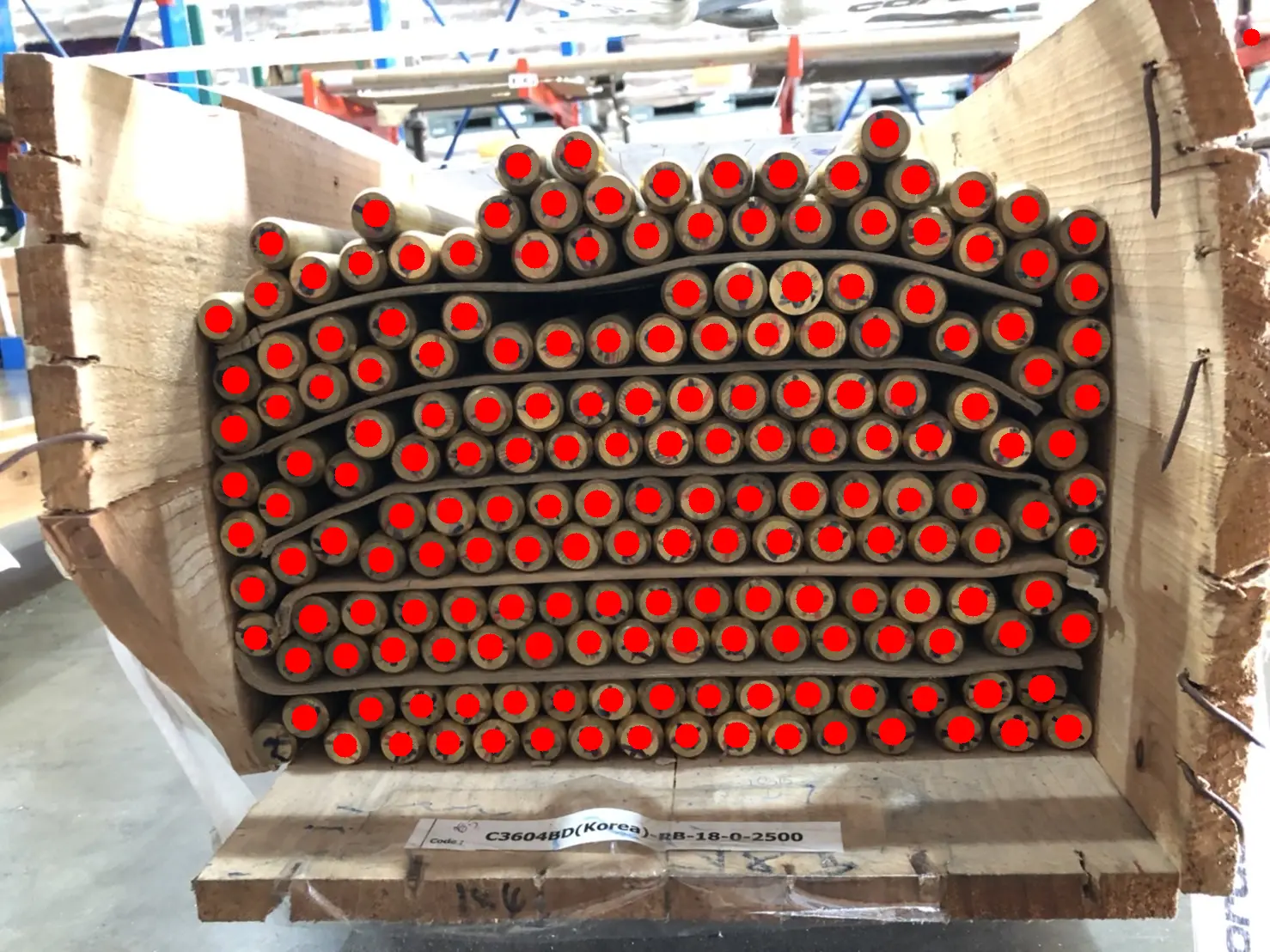
Counting visible objects sounds simple until there are enough of them to make you lose your place. A pile of screws, a tray of seedlings or several rows of chairs can quickly turn a small task into a slow and frustrating one. It is easy to skip an item, count the same object twice or restart because someone interrupted you.
AI object counting offers another approach. You take or upload a photograph, let the software identify repeated objects and then review the result on the image. It is not a replacement for human judgement, but it can make many everyday counting tasks easier to handle.
Why count from a photograph?
A photograph captures the whole scene at one moment. This gives you a fixed reference instead of a group of objects that may move while you count them.
The image also provides more than a final number. A useful counting tool places visual markers over the objects it has detected. You can compare those markers with the original scene and see how the total was created. This is clearer than writing down a number with no record of which items were included.
Useful in many situations
Photo-based counting is not limited to warehouses or stock checks. At home, it can help with groups of coins, buttons, toys or hardware left over from a project. At work, it may be useful for counting boxes, pipes, components, packages or materials laid out for a job.
Hobbyists can use it for beads, game pieces, collectables or model parts. Outdoors, a photograph may show logs, trees, parked vehicles or visible animals. Researchers may need an initial count of cells, seedlings, samples or repeated features in an image. Event organisers can use the same idea for chairs, tables or people visible in a suitable photograph.
The common factor is simple: the objects need to be visible and similar enough for the software to recognise them as a group.
How AI object counting works
The process usually begins with a photograph taken on a phone or camera. You then upload the image to the counting tool. The software examines the picture, identifies a prominent type of object and places a marker on each detected item. The markers are added together to produce the total.
If the tool selects the wrong object, you may be able to indicate what should be counted or focus on a smaller part of the image. For example, a workshop photograph could contain screws, washers and tools. Selecting a screw helps the software understand that the other objects are not part of the requested count.
ZapCount is a standalone, browser-based AI object-counting tool built around this process. It accepts a photo, creates a visual count and allows the result to be reviewed. It is not inventory-management software and does not organise products, orders or stock records. Its purpose is narrower: counting objects that can be seen in an image.
How to take a clearer counting photo
The result depends greatly on what the camera can see. A few basic steps can make the objects easier to detect:
- Spread small items into a single layer where possible.
- Leave a visible gap between neighbouring objects.
- Use soft, even lighting and avoid strong shadows.
- Choose a plain background that contrasts with the items.
- Hold the camera steady and check that the image is in focus.
- Photograph flat arrangements from directly above.
- Keep every object fully inside the frame.
If the scene is very crowded, divide it into smaller sections and take several photographs. This keeps individual objects large enough to see and makes each result easier to check.
Cropping can also help. If most of the photograph contains irrelevant objects or background detail, focusing on the area that matters gives the software a clearer task.
Always review the markers
An AI-generated total should be treated as a first result, not an unquestionable answer. Look carefully at the marked image before accepting it.
A visible object without a marker may have been missed. Two markers on the same item may indicate that it was counted twice. When correction tools are available, missed items can be added and incorrect markers removed.
This review is usually easier than counting the entire scene manually because the software has already completed the repetitive first pass. The person checking the image only needs to look for exceptions.
Know where the method struggles
AI cannot count what the camera cannot see. Objects hidden inside boxes, underneath a pile or behind other items will not appear in the result. Heavy overlap can make several objects look like one shape.
Blur, glare, deep shadows and low contrast can also cause problems. Mixed groups of unrelated items are generally harder than a clear group of one object type. Rare or unusual objects may not be recognised correctly, while very dense scenes can make individual items too small to distinguish.
Colour is another consideration. A general object counter may recognise objects by their shape and type without reliably separating them into colour groups. If colour matters, sorting the items before photographing them may produce a clearer result.
For scientific, financial, safety-related or other important decisions, the count should be checked using an appropriate second method.
A practical balance
AI object counting works best as a combination of automation and human review. The software handles the repetitive task of finding and marking objects, while a person checks the scene and corrects obvious mistakes.
With a clear photograph and a short review, many visual counting jobs can become simpler, easier to verify and less likely to end with another count from the beginning.
